How to contact us
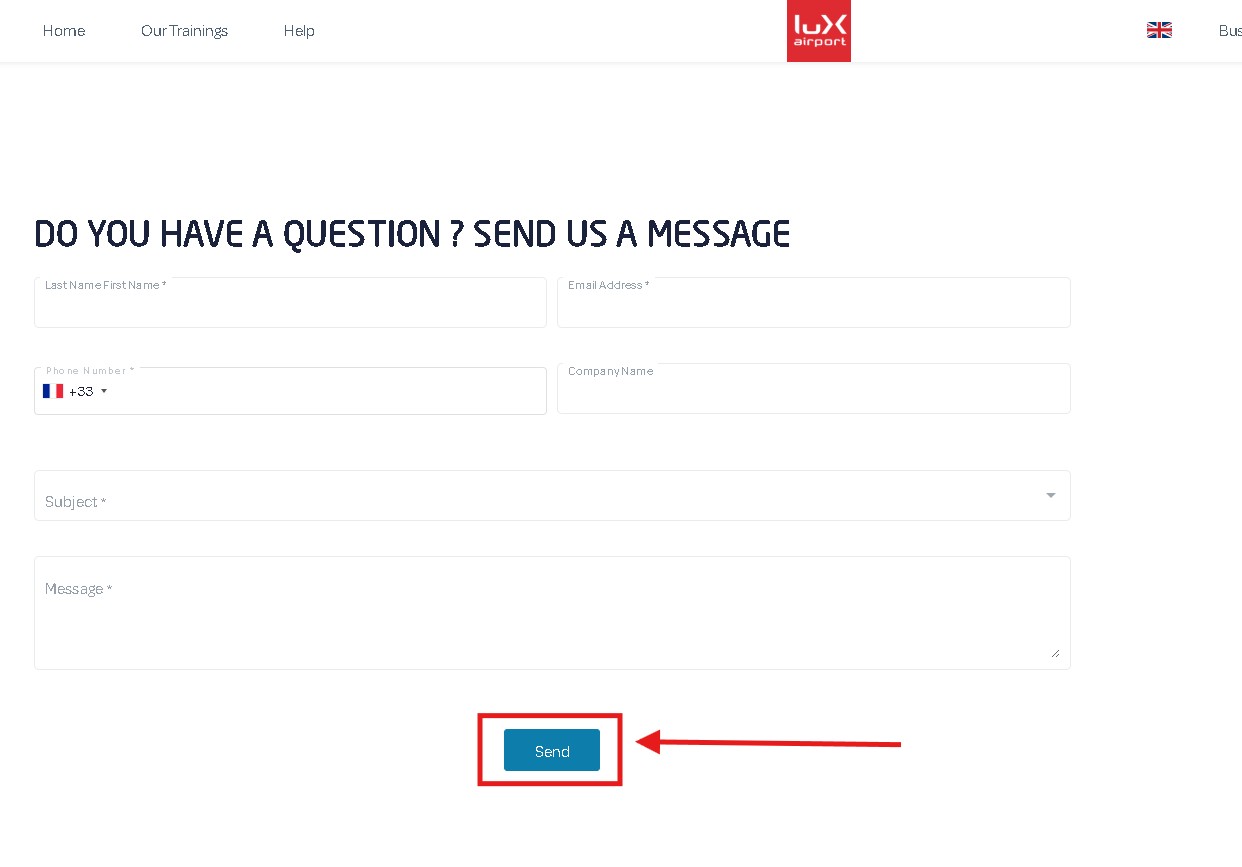
1) Click on the Help button, then Contact.
2) Fill out the form with your information and write your message, then click Send.
Related Articles
What is the Two-factor authentication ?
Strengthening Your Account Security Two-factor authentication enhances the security of your account by preventing unauthorized access. Even if a malicious individual manages to obtain your password, they will not be able to log in without the second ...Edit a manager
1) Go to Company Portal. 2) Click on the Managers tab. 3) Select the manager to modify from the list on the left, or use the search box. 4) Edit the desired information and remember to save. The “Cancel” button allows you to undo current ...Edit a Learner
1) Go to Company Portal 2) Click on Learner Management tab 3) Select the learner to edit from the list on the left, or use the search bar. 4) Edit the information and remember to save. The "Cancel" button allows you to return to the last saved ...Sort & Filter
1) You can use the search field to find a specific learner. 2) You can select a training course to display only the agents to whom it has been assigned. 3) You can select dates to narrow down the display of courses assigned between them. By default, ...Set Up SSO (Single Sign-On)
What is SSO? SSO (Single Sign-On) allows users to log into the platform using their corporate Identity Provider. This enables them to use the same credentials they use to access their other professional tools, without having to create or manage an ...