Edit your account information
1) Click on the bubble of your account

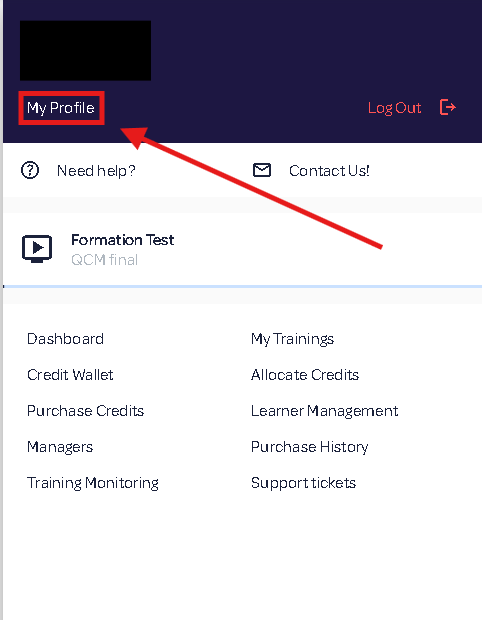
2) Click on My Profile
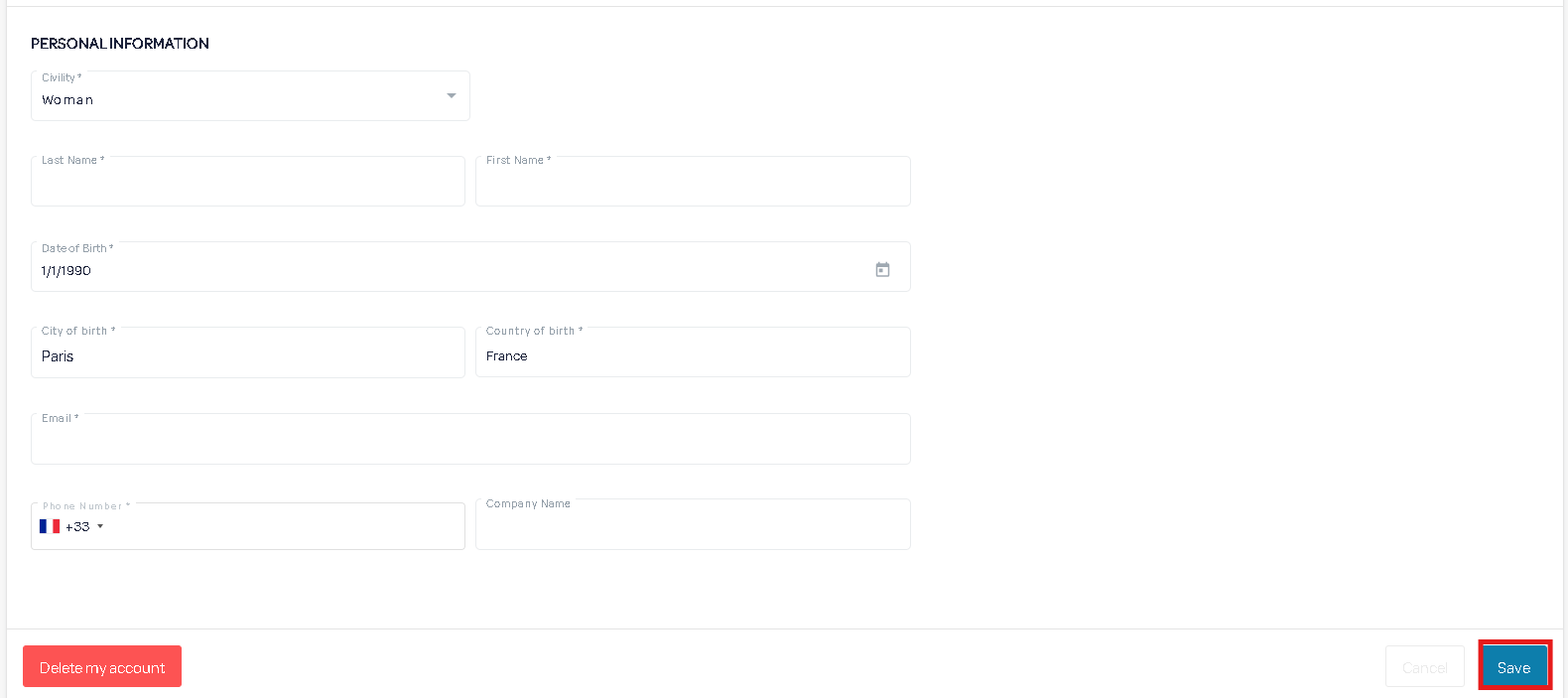
3) Modify your information and then save it by clicking Save.
2) Click on My Profile
3) Modify your information and then save it by clicking Save.
Related Articles
Edit a Learner
1) Go to Company Portal 2) Click on Learner Management tab 3) Select the learner to edit from the list on the left, or use the search bar. 4) Edit the information and remember to save. The "Cancel" button allows you to return to the last saved ...Edit a manager
1) Go to Company Portal. 2) Click on the Managers tab. 3) Select the manager to modify from the list on the left, or use the search box. 4) Edit the desired information and remember to save. The “Cancel” button allows you to undo current ...Create a company account
1) Click on Sign Up 2) Fill out the registration form and click "Continue". 3) Create your administrator account and click "Sign Up" 4) Your company account has been successfully created. To finalize your registration, our teams need to check your ...Create a learner account
1) Go to Company Portal 2) Click on Learner Management 3) Click on New Learner 4) Fill in the learner information and click Save The email will serve as your login. After creation, the learner receives an email to activate it and create their ...Add a manager
1) Go to the Company Portal 2) Click on the 'Managers' tab, then on the 'New Manager' button. 3) Enter the information for the new manager account and save it.